
Rollback: Site Booster Module
The Ocean Site Booster's Rollback module serves as your website's "Undo" button for updates. It allows you to quickly revert any WordPress theme or plugin to a previous version, which is vital if a new update causes design conflicts or breaks site functionality.
Note: The Rollback module requires Ocean Site Booster v1.3.0 or higher.
Important: The Rollback feature is applicable only on free WordPress themes and plugins hosted on wordpress.org.
Getting Started
- Navigate to the Site Booster dashboard.
- Locate the Utilities panel in the main sidebar menu.
- Enable Rollback Module toggle at the top right and switch it to On.
- Configure your preferred settings (detailed below).
- Click Save Changes at the bottom of the page to apply your settings.
Available Content options include:
How the Rollback Feature Works
When you select the "Rollback" option for a theme or plugin, a popup window will appear asking you to select one of the available previous versions of the said theme and/or plugin.
Simply select the version you need, and click the Rollback button to confirm and proceed, or Cancel to stop the current action.
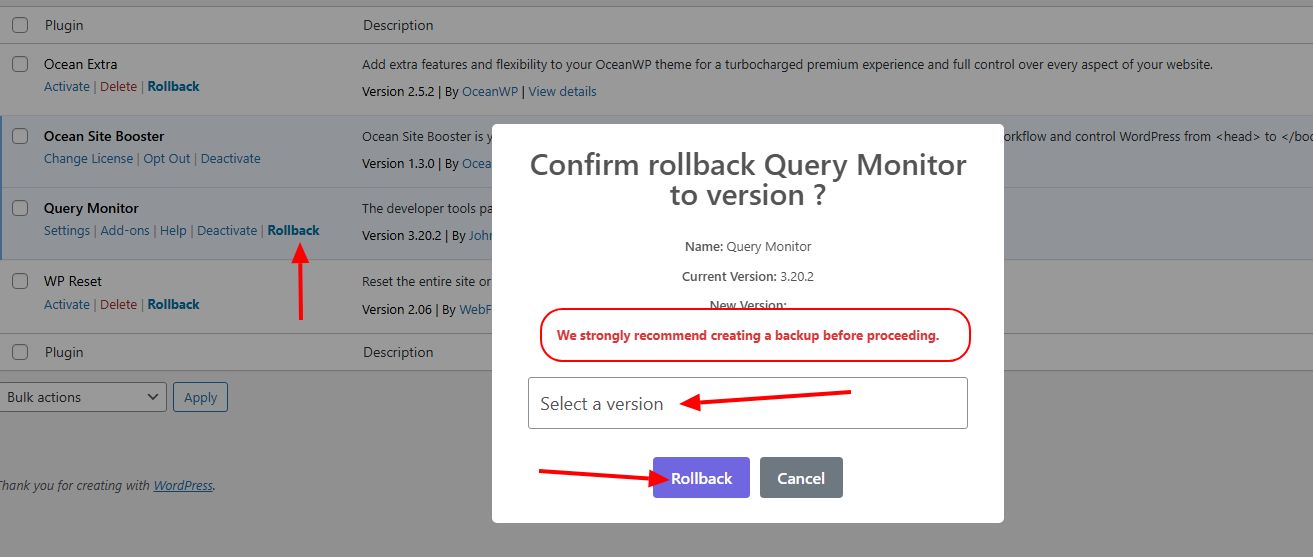
Enable Plugin Rollback
When enabled, a "Rollback" link will appear next to the Activate/Delete options for every plugin in your Plugins > Installed Plugins list.
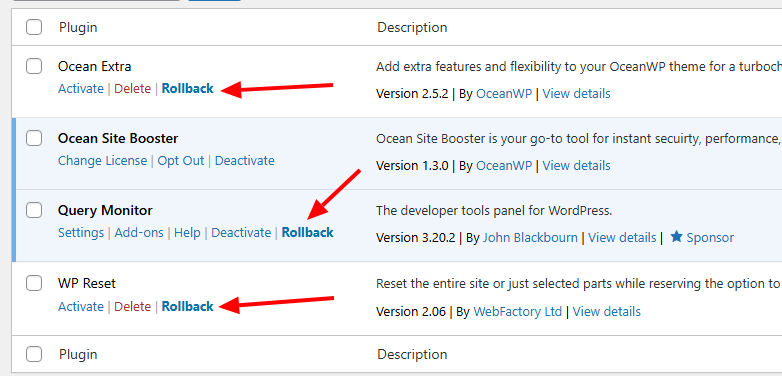
Enable Theme Rollback
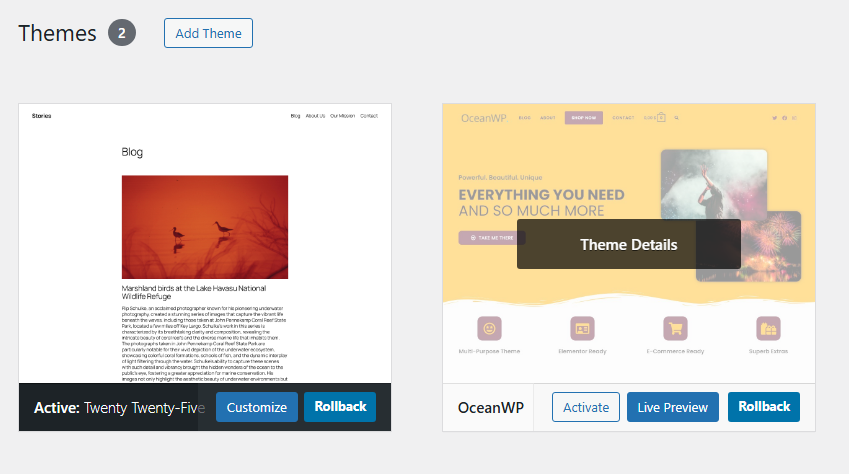
When enabled, it adds a "Rollback" button to the theme preview cards found under Appearance > Themes:
- Active theme: the Rollback option immediately available under theme thumbnail.
- Other installed themes: the Rollback option available on theme thumbnail hover and Theme Details.
Prompt for Backup Before Rollback
Enabling this adds an extra layer of security. In the popup window where you'll select the version you want to rollback to, an additional message will be displayed, reminding you to perform a full site backup to prevent data loss.
Found an error in this doc or believe it needs improvement?
Send us a prepurchase ticket, include the URL of the page, and add suggestions and more details about how we can make things better for you.
That's it!
Boost your WordPress website on all levels with OceanWP and Ocean Site Booster.